Google Ads, audited first.
Then run properly.
Most Google accounts we see aren’t short of budget; they’re leaking it. The wrong conversions training the bidding, Performance Max spending on searches nobody planned for, a feed nobody has touched. We start with a fixed-scope audit, fix what matters, then run the account with a senior specialist and our Ads Desk agent doing the daily checks.
Who it’s for: ecommerce and lead-gen businesses on Search, Shopping or Performance Max, especially if results have dropped or Performance Max is a black box. The film shows Ads Desk on a fictional demo client; no client results are claimed.
Is this you?
- Sales or leads from Google have dropped and nobody can explain it
- Performance Max spends, but you can’t see where
- Your brand name is costing more than it should
- Reports arrive, but answers don’t
Why it usually goes wrong.
- The wrong conversions. Micro-conversions or duplicates set as primary goals teach Google to buy the wrong clicks.
- Brand left to chance. Without brand controls, Performance Max can spend on searches for your own name; who should own them is a decision, not a default.
- Too much, too soon. Performance Max or AI Max switched on before there’s enough conversion data to guide them.
- Changes nobody reviewed. Auto-applied recommendations left on and never checked.
How we take on a Google Ads account.
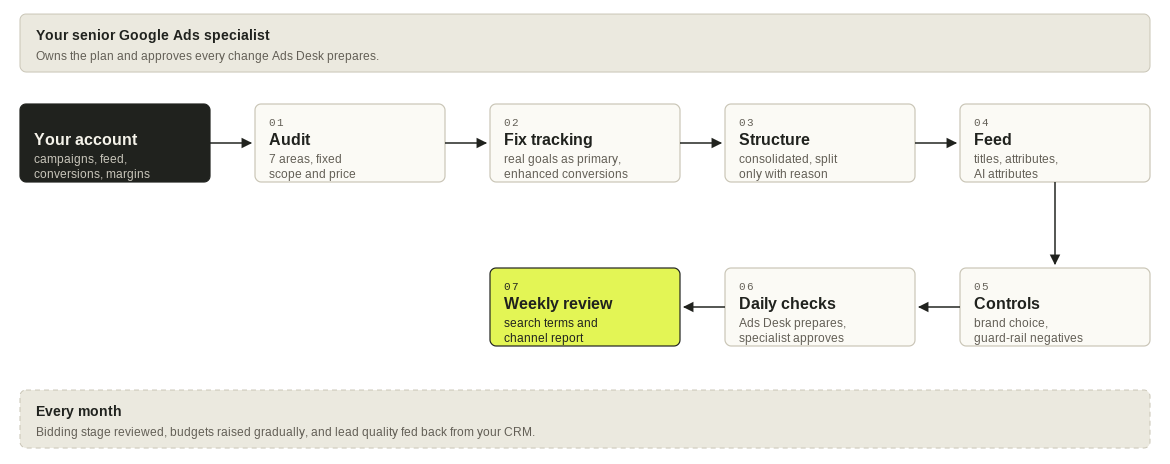
Your senior Google Ads specialist: Owns the plan and approves every change Ads Desk prepares.
How the work runs.
Days 1–10
The fixed-scope audit: conversions, consent, search terms, brand, feed, assets, bidding.
You keep it whether or not you hire us.Weeks 2–4
Tracking and structure fixed first, then feed and controls. Changes logged and explained.
Foundations before spend.Weekly
Search terms, Performance Max channel and search-term reports, Ads Desk changes approved.
No black boxes.Monthly
Bidding stage and budgets against your margins, lead quality from your CRM.
Judged on your numbers.The method, point by point.
- Conversion actions firstOnly real business outcomes set as primary goals, duplicates removed, count and call-length settings checked, enhanced conversions on and consent set up.
- A consolidated structureAs Google recommends: campaigns split by business goal or genuinely different margins, not by device or habit. More campaigns don’t mean more conversions.
- Search first where volume is lowFor lead generation and low-volume accounts we usually start with Search (plus Shopping for ecommerce) and add Performance Max once conversion data supports it.
- See where Performance Max spendsIts channel and search-term reports show where the money goes. Brand is a deliberate choice, often owned by a Search campaign; practitioners disagree, so we decide on your data.
- Guard-rail negativesNegatives at account and campaign level for competitors and products you don’t sell, used as guard rails, not bulk blocking. Search themes guide Performance Max.
- Feed workClear titles and product attributes, Merchant Center’s newer AI attributes (highlights, details, Q&A) via supplemental feeds, and disapprovals fixed. We also add GTINs and margin labels where they help.
- Bidding in stagesMaximise clicks or conversions first; target CPA or ROAS once there’s enough data and four to six weeks of stable cost per conversion. Budgets raised gradually.
- Pay for the right leads and customersQualified-lead values sent back daily from your CRM through Google’s Data Manager, or target CPA on qualified leads where values aren’t possible. New-customer goals, using your customer lists, where you only want to pay for new customers.
- AI Max, carefullyOnly where conversion data is solid and the campaign already performs, with brand and URL exclusions set and matched terms reviewed after one to two weeks.
What we report.
- Conversion value / ROASby campaign type
- Brand vs non-brand CPAso brand doesn’t flatter the average
- New-customer sharewhere you’re paying to acquire
- Search-term waste (£)spend on irrelevant searches
- Impression share lostto budget or rank
- Lead → sale ratefor lead-gen accounts
The agent behind it.
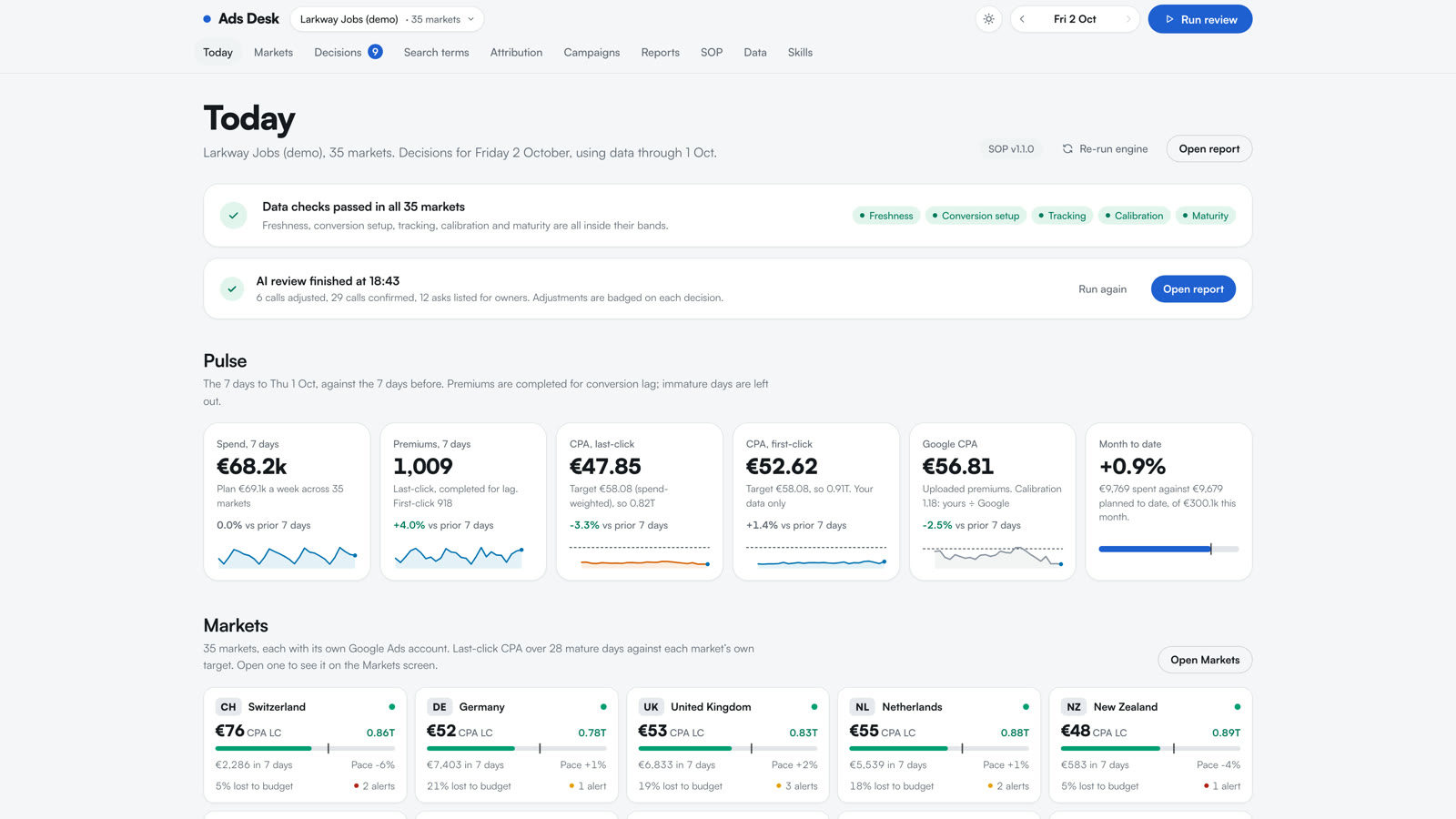
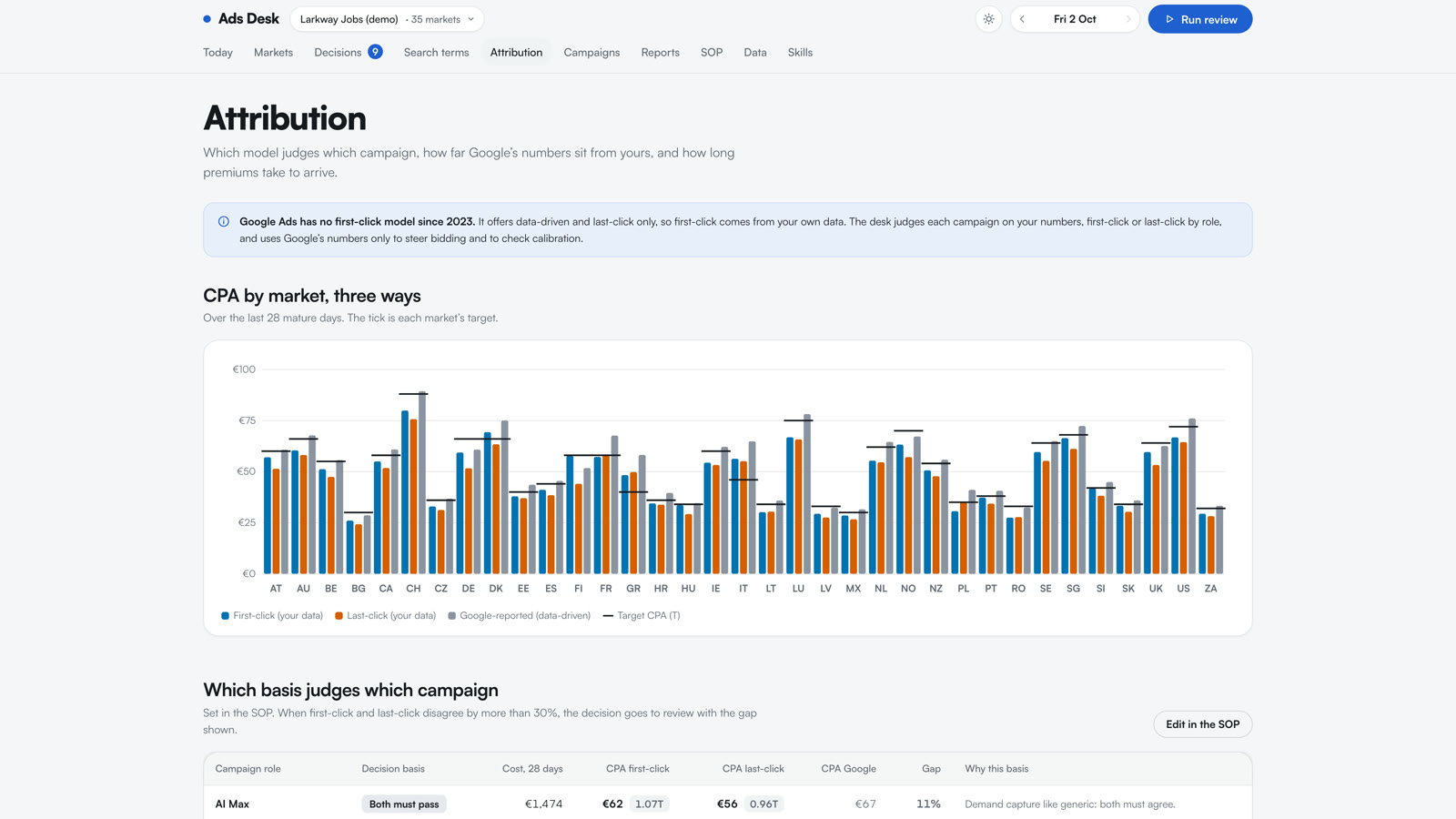
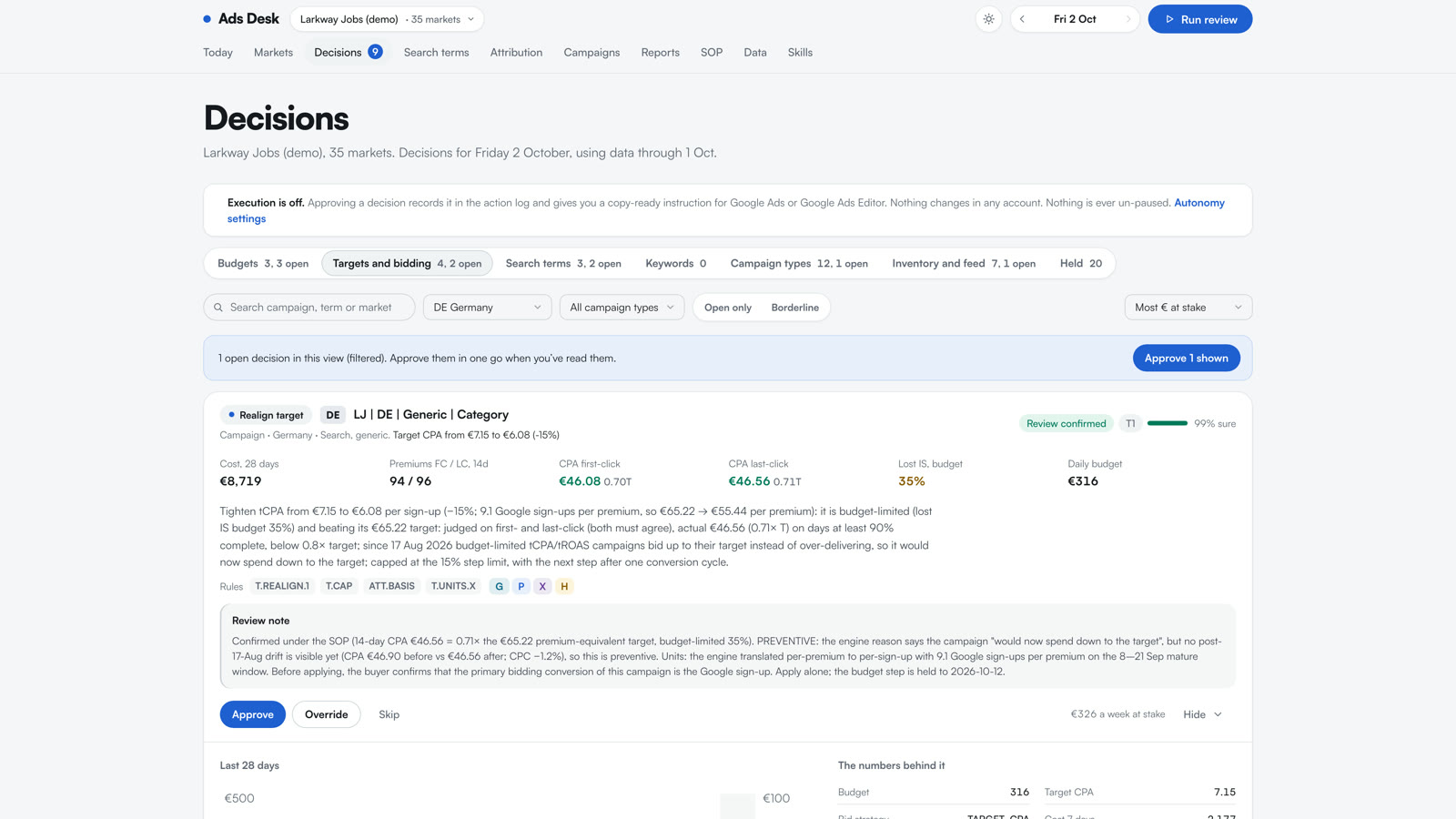
Screens from our own build on a fictional demo account. Every recommendation is approved by a person before anything changes.
What you get.
- A fixed-scope audit with a prioritised recovery plan
- Clean conversion tracking before we touch bidding
- A senior specialist who explains every change
- Ads Desk preparing daily changes for approval
- Weekly search-term and Performance Max reviews
- Your account and data stay yours
What we won’t do.
- Run Performance Max or AI Max before conversion data supports it
- Optimise to form fills your sales team says are junk
- Leave auto-applied recommendations unreviewed
- Change your account without your specialist approving it
Questions buyers ask.
What does the audit cost, and do we keep it?
The first review is free; a deeper fixed-scope audit is quoted up front. Either way, you keep the findings whether or not you hire us.
Should we turn off Performance Max?
Not usually for established ecommerce accounts; it often needs brand decisions, a better feed and clearer goals instead. For low-volume or lead-gen accounts we may start with Search and add Performance Max once conversion data supports it.
Can you fix a Merchant Center suspension?
Often, yes. We diagnose the policy or feed issue, fix it and request review. Some take several rounds.
How long until results improve?
Tracking and waste fixes often show within weeks. Google says bid strategies typically need about a week to learn, and we wait four to six weeks of stable results before tightening targets.
Start with a free Google Ads review.
A senior specialist reviews your account and sends a recorded walkthrough with the first three fixes, within three working days.
Email us to start ↗Fixed-scope audit quoted up front; management quoted after it, plus ad spend. · hello@adsandagents.com · UK-based, working with clients in the UK, Europe and North America.
Related.
Notes and sources
- Google: the ABCs of account structure
- Google: about Performance Max campaigns
- Google: get more conversions from Performance Max
- Google: Performance Max best practices for lead generation
- Google: data strength best practices
- Aaron Young, “How to Optimise Performance Max Campaigns”, YouTube, 8 Jul 2026
- Aaron Young, “Getting No Conversions in Google Ads (Do This)”, YouTube, 1 Jul 2026
- Corey Trotter, “AI Max: How It Works (Ep 27)”, YouTube, 22 Jul 2026
- Corey Trotter, “Google Ads Conversion Tracking Tutorial (Ep 31)”, YouTube, 18 Sep 2026
Official Meta and Google guidance is the baseline. Practitioner views are named with the video and date; vendor and industry figures are their own claims. Demo brands and data in the films are fictional.